For Mac & Windows · Beta

Every receipt,
filed automatically.

Stash finds the receipts buried in your email, names each one by date, merchant and amount, and files it in a folder that syncs to your cloud. No more digging at tax time.

Works with Gmail, Outlook, Microsoft 365, iCloud Mail, Yahoo and more.
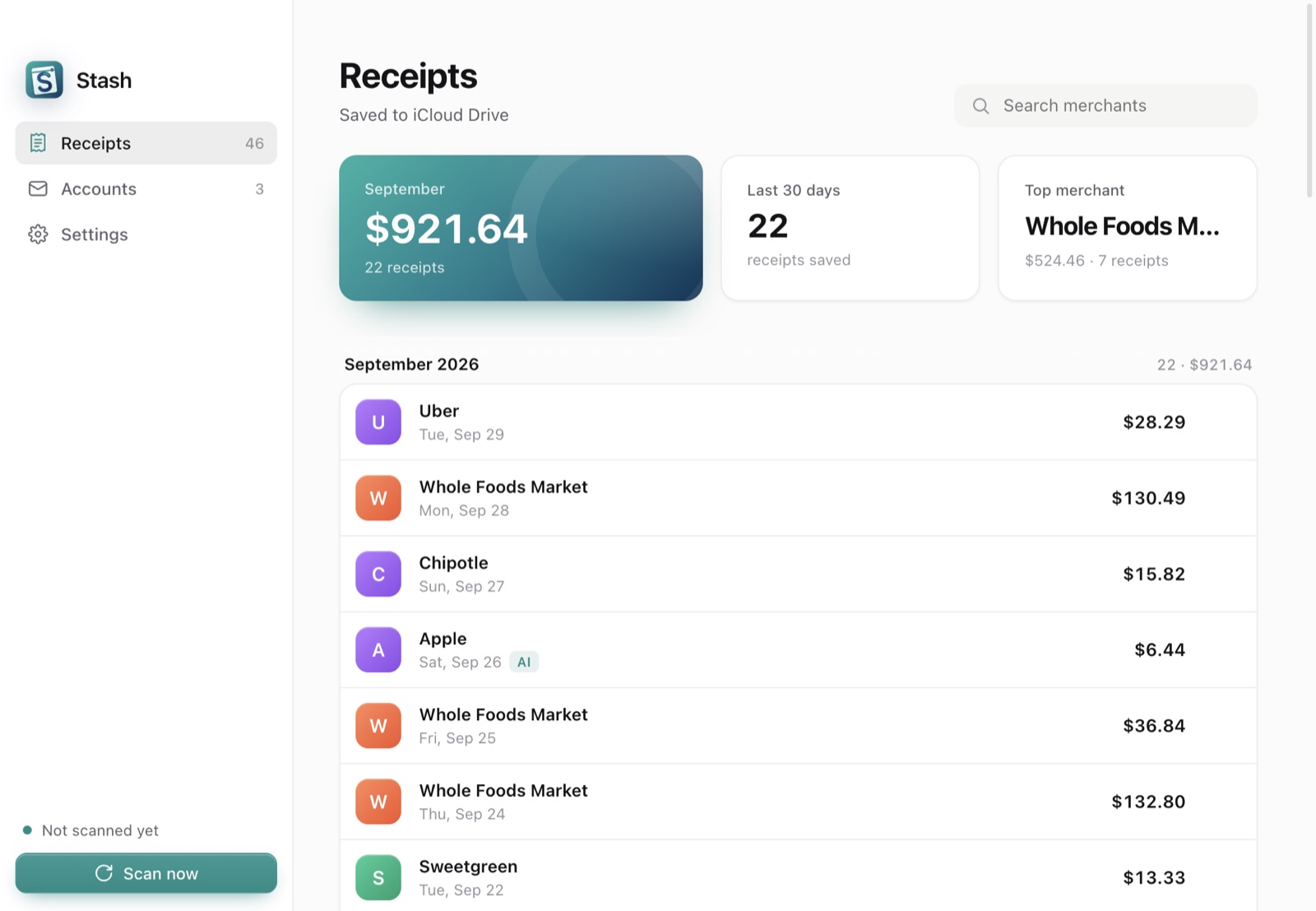
The Stash app showing this month's spending and a list of receipts grouped by month

Your receipts, finally in one place

Stash runs quietly in your menu bar or system tray and keeps your receipts organized without you lifting a finger.

Finds them for you

Scans your inbox, archive and folders for order confirmations, invoices and payment receipts, up to three years back.

Names them clearly

Every receipt is saved as a PDF named like 2026-09-14 Blue Bottle Coffee $4.90, so you can find it in seconds.

Backs them up

Save into iCloud Drive, Dropbox, Google Drive or OneDrive and your receipts are on every device, automatically.

How it works

Set it up once. Stash checks for new receipts every hour.

Connect your email

Sign in with Google or Microsoft, or use an app password for iCloud, Yahoo and others.

Pick a folder

Choose a folder in your cloud drive. Stash suggests the ones it finds on your computer.

That's it

Stash files past receipts and keeps up with new ones, sorted by year, month and merchant.

Receipts/
  2026/
    09 September/
      Amazon/
        2026-09-14 Amazon $42.99.pdf
      Blue Bottle Coffee/
        2026-09-14 Blue Bottle Coffee $4.90.pdf
      Uber/
        2026-09-29 Uber $28.29.pdf
        2026-09-30 Uber $12.10.pdf
      Other/
        2026-09-21 Unknown merchant $15.00.pdf
    08 August/
      …

Private by design

Stash works on your computer. Your email isn't uploaded to us, and your receipts are saved only where you choose.